Introduction
The v202301-1 release of Terraform Enterprise introduces a visual refresh of the application's navigation. This update aligns with a unified navigation style across all HashiCorp products to provide a consistent user experience.
The new navigation maintains all previous links and functionality within a simplified, consolidated interface. This guide outlines the key differences between the previous and new navigation layouts.
Previous Navigation Layout
Previously, navigational elements were located in three different areas of the user interface.
Primary Navigation Bar
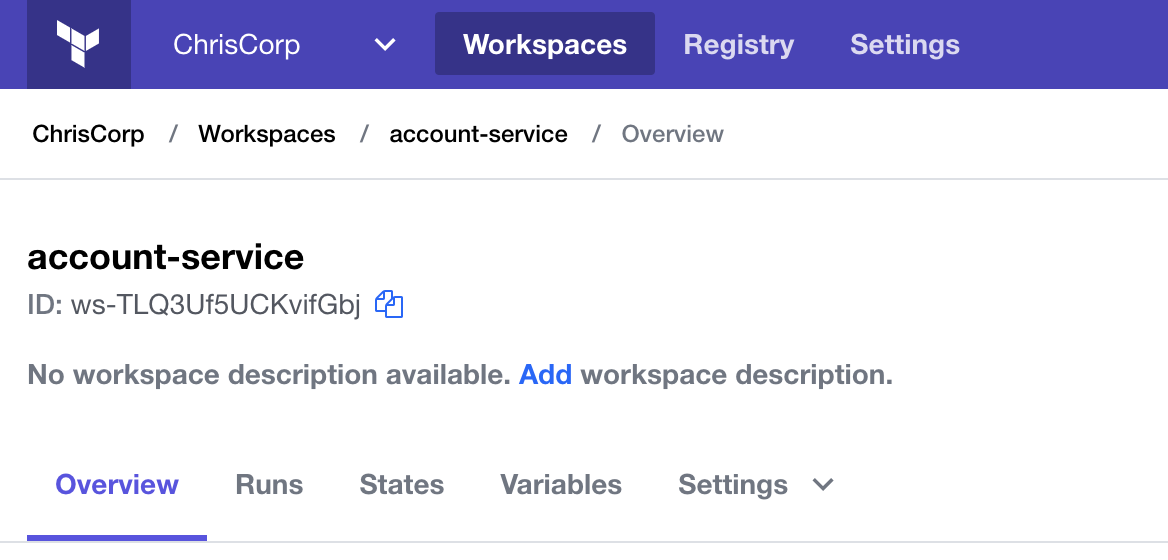
The primary navigation bar was located at the top of each page.

Secondary Navigation
Secondary navigation appeared in two different formats depending on the context:
- Tabs: On pages like the workspace detail view, secondary options were presented as tabs.
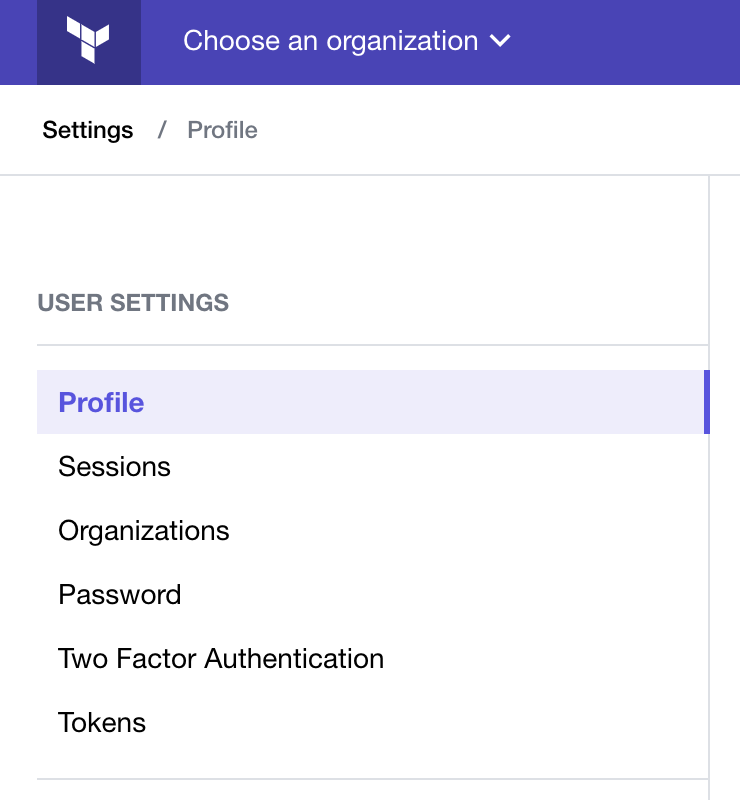
- Sidebars: In some settings views, additional navigation was available in a sidebar.
New Unified Navigation
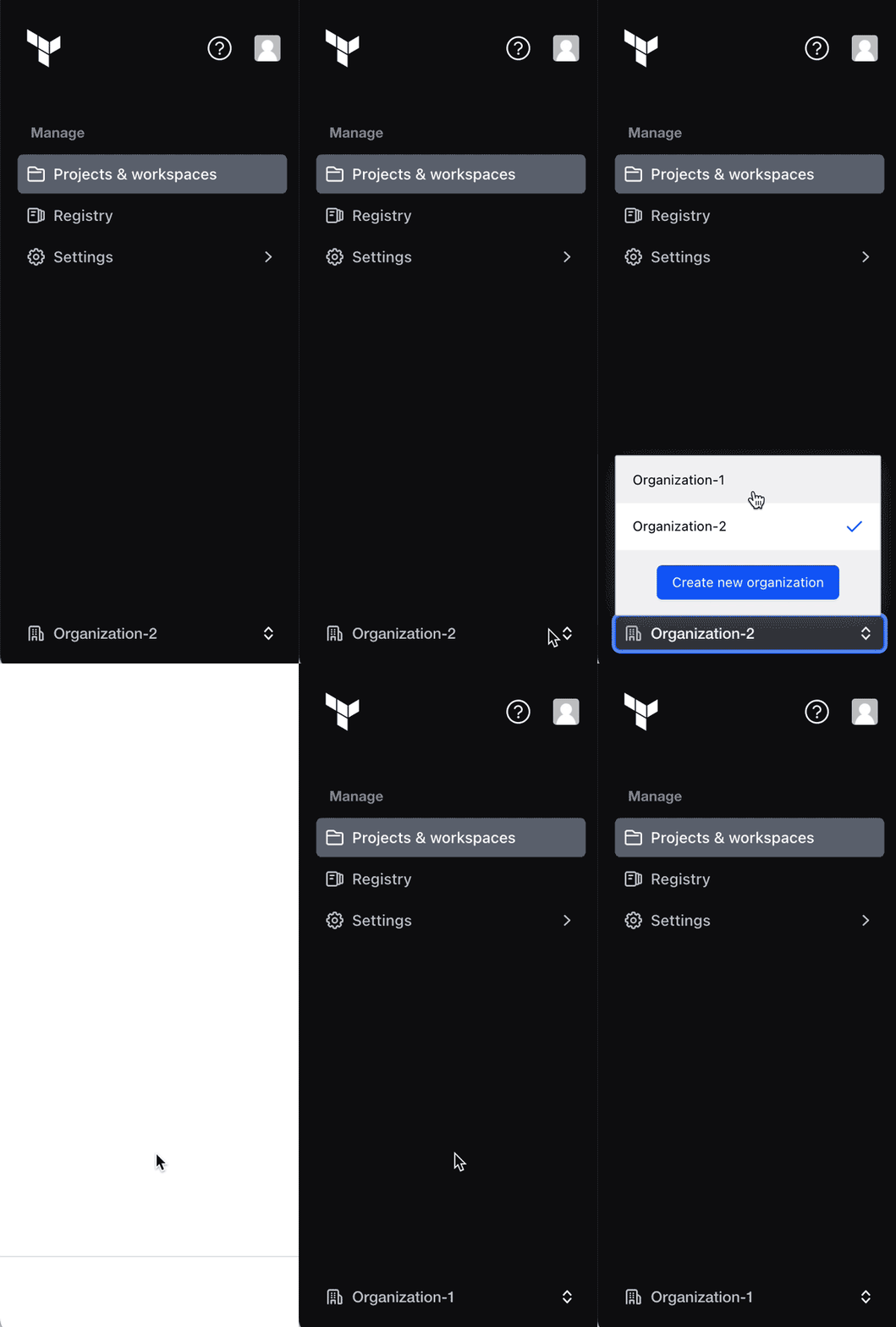
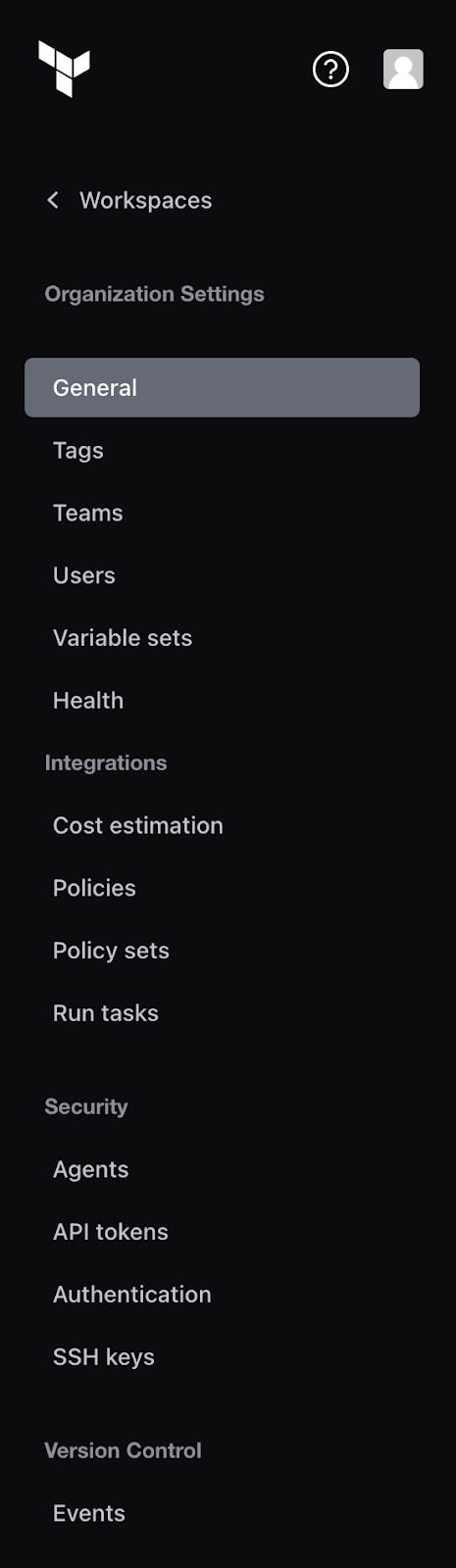
In the updated design, all primary, secondary, and contextual navigation elements are consolidated into a single left-hand navigation panel.
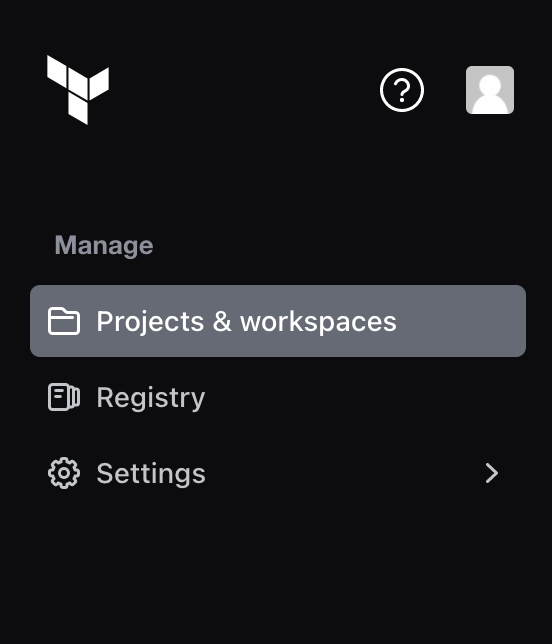
In some views, contextual navigation replaces the top-level navigation. You can return to the top-level navigation by clicking the link at the top of the panel (e.g., "Workspaces").
Organization Selector Relocated
The organization selector has been moved to the lower-left corner of the page, at the bottom of the new navigation panel.