
Problem Statement
A Terraform Enterprise workspace connected to GitLab Community Edition (CE) successfully syncs the repository on the initial connection (for example, Commit A). However, after pushing a new commit (Commit B) and triggering Plan & Apply, the workspace continues to reference Commit A instead of the latest commit.
A temporary workaround is observed:
Switching the workspace branch to another branch
Switching it back to the original branch
After doing this, Terraform Enterprise correctly picks up Commit B.
Affected Setup
Platform: Terraform Enterprise
VCS: GitLab Community Edition (self-managed)
Workspace Type: VCS-connected workspace
Authentication: GitLab API token with
apiscope
Expected Behaviour
When a new commit is pushed to the configured branch:
GitLab sends a push event webhook to Terraform Enterprise
Terraform Enterprise detects the new commit
The next Plan or Apply uses the latest commit SHA
Observed Behaviour
Plan & Apply continues to reference an older commit
No new run is automatically queued after a push
Terraform Enterprise appears to use a cached commit
Changing the branch forces a refresh, temporarily resolving the issue
Root Cause
The root cause is GitLab webhook delivery failure due to an SSL/TLS verification error.
Because the webhook delivery fails:
Terraform Enterprise never receives the push event
The workspace is not notified of new commits
TFE continues using the last successfully synced commit
This issue is not related to GitLab API permissions or Terraform Enterprise VCS polling logic.
How to Diagnose the Issue
1. Check the Commit SHA in the Run UI
From the Terraform Enterprise run details:
Verify whether the commit SHA matches the latest GitLab commit
If it does not, the workspace never received the push event
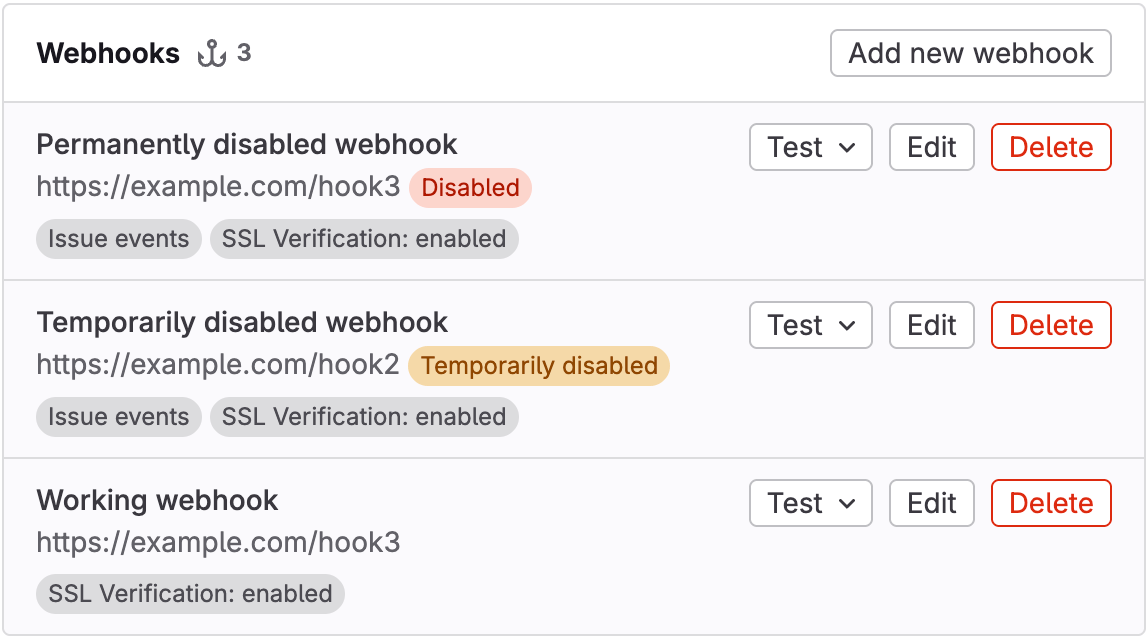
2. Check GitLab Webhook Delivery Status
In GitLab CE:
Navigate to
Project → Settings → WebhooksLocate the Webhook created for Terraform Enterprise
Open Recent Deliveries
Look for:
❌ SSL/TLS verification errors
❌ Delivery failures
❌ Timeout errors
Resolution
In this case, GitLab webhook delivery was failing due to SSL certificate verification errors.
Implemented Fix
SSL verification was disabled for the GitLab webhook
After disabling SSL verification:
Webhook deliveries succeeded
Terraform Enterprise immediately detected new commits
Plan & Apply correctly used the latest commit
⚠️ Security Note:
Disabling SSL verification should only be done if it aligns with your organization’s security policies.
A more secure alternative is to install a valid TLS certificate or ensure the CA chain is trusted by GitLab.
References:-
https://support.hashicorp.com/hc/en-us/articles/6317726173971-Failed-to-Create-Webhook-on-Repository-When-Changing-Version-Control-Settings-on-a-Workspace